Say Goodbye to Tired Eyes! 8 Simple Ways to Protect Your Eyes From Your Computer Screen
Published: October 27, 2025
We spend a lot of time each day looking at screens, whether for work, studying, or watching our favorite shows. However, staring at a computer screen for an extended period of time can cause tired, dry eyes and even headaches.
This is known as digital eye strain, or sometimes computer vision syndrome. It can make it difficult to concentrate and may even have an impact on your mood and productivity.
What is the good news? You can easily learn how to protect your eyes from the computer screen by following a few simple habits. In this article, I’ll share simple, practical tips for keeping your eyes comfortable and healthy even after long hours at the computer. Let’s get started.
What Happens to Your Eyes When You Use Screens Too Much?
Long periods of time spent looking at a computer screen cause your eyes to work harder than usual. You blink less, which can leave your eyes dry and irritated. You may feel burned, itchy, or see things blurry. Some people experience headaches or feel their eyes are heavy and tired.
This occurs because your eyes must focus and adjust to the bright light and small text on the screen throughout the day. Over time, this can result in digital eye strain or computer vision syndrome.
That is why it is critical to take care of your eyes and give them frequent breaks!
Signs Your Eyes Are Tired and Need Care
How do you know if your eyes require a break? Here are a few common signs:
- Our eyes feel dry or itchy.
- You have blurry vision after working on the computer.
- You get headaches, especially near your eyes or forehead.
- Your eyes feel tired or heavy.
- You feel pain in your neck and shoulders (because of bad posture).
- It’s hard to keep your eyes open or focus for a long time.
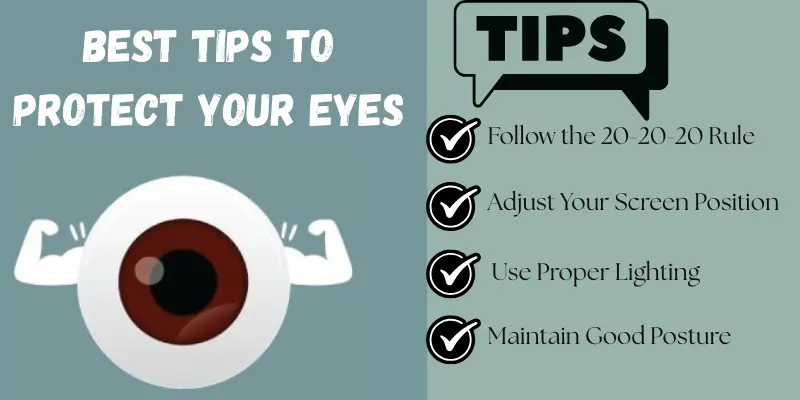
Best Tips to Protect Your Eyes
You can keep your eyes healthy and happy by following these easy tips:
1. Follow the 20-20-20 Rule
Every 20 minutes, look at something 20 feet away for 20 seconds. This helps your eyes relax and reduces strain.
2. Adjust Your Screen Position
Keep your screen between 20 and 24 inches (about an arm’s length) away from your eyes. The top of your screen should be at or slightly below eye level.
3. Control Screen Brightness and Contrast
Make sure your screen isn’t too bright or too dark. Match it to the light in your room so your eyes don’t have to work too hard.
4. Use Proper Lighting
Avoid strong overhead lights or glare. Use soft, warm lighting from the side to make it easier on your eyes.
5. Blink Often and Use Eye Drops
We blink less when we look at a screen. Try to blink more frequently to keep your eyes moist. If your eyes are particularly dry, you can also use artificial tears.
6. Take Regular Breaks and Move Around
Stand up, stretch, and walk for a few minutes every hour. This helps your eyes and your whole body feel better.
7. Wear Blue Light Glasses (Optional)
If you work on screens for long periods of time, blue light glasses can help reduce your exposure to blue light. However, they are optional—healthy screen habits are more important
8. Maintain Good Posture
Sit up straight and keep your back supported. Good posture helps reduce eye, neck, and shoulder strain.
Extra Tips for Office Workers & Students
If you spend a lot of time at a desk, whether studying or working, here are some additional tips to help you protect your eyes and feel better throughout the day:
1. Use an Adjustable Chair and Desk
Make sure your chair supports your back and allows you to sit up straight. Your feet should rest flat on the floor. This helps you maintain proper posture and avoid leaning too close to the screen.
2. Keep Your Screen Clean
Dust and fingerprints can make your screen harder to read and cause you to strain your eyes more. Clean it often with a soft cloth.
3. Reduce Glare
If possible, position your screen away from windows and bright lights. You can also apply an anti-glare screen protector.
4. Plan Your Breaks
Set reminders for short breaks every hour. Walk around, stretch, or just look outside for a few minutes.
5. Use Big, Clear Text
Increase the text size on your screen so you don’t have to squint or lean forward.
When Should You Visit an Eye Doctor?
Sometimes, simple tips at home aren’t enough. You should see an eye doctor if:
- Your eyes still feel tired or hurt even after taking breaks.
- You have blurry vision that doesn’t go away.
- You get frequent headaches or feel dizzy when using a screen.
- You feel a strong pain in your eyes.
- You notice sudden changes in your vision.
Conclusion
Every day, our eyes work hard, especially when we spend a lot of time on computers. Simple tips, such as the 20-20-20 rule, adjusting your screen, and taking regular breaks, can help keep your eyes comfortable and healthy.
Begin with minor changes today. Your eyes will thank you, and you will feel more at ease and focused!
Frequently Asked Questions (FAQs)
The best way to protect your eyes is to use the 20-20-20 rule. Every 20 minutes, gaze at something 20 feet away for 20 seconds. Also, adjust your screen’s position, brightness, blink frequently, and take regular breaks. These simple steps can keep your eyes comfortable and healthy.
The 20-20-20 rule means every 20 minutes, look at something 20 feet away for 20 seconds. This helps relax your eye muscles and reduce strain.
Yes! If your screen is too bright or too dark, your eyes work harder to see. Always match your screen brightness to your room lighting.
Try the 20-20-20 rule, blink more often, and take small walking or stretching breaks every hour.
Dark mode can be more comfortable, especially in low-light environments, because it reduces glare and bright light. However, it does not work for everyone. Some people find it difficult to read white text against a dark background.
The best option is to use the mode that is most comfortable for your eyes and adjust the screen brightness to match the lighting in your room.





- Be Respectful
- Stay Relevant
- Stay Positive
- True Feedback
- Encourage Discussion
- Avoid Spamming
- No Fake News
- Don't Copy-Paste
- No Personal Attacks
- Be Respectful
- Stay Relevant
- Stay Positive
- True Feedback
- Encourage Discussion
- Avoid Spamming
- No Fake News
- Don't Copy-Paste
- No Personal Attacks
